01
See the wider picture
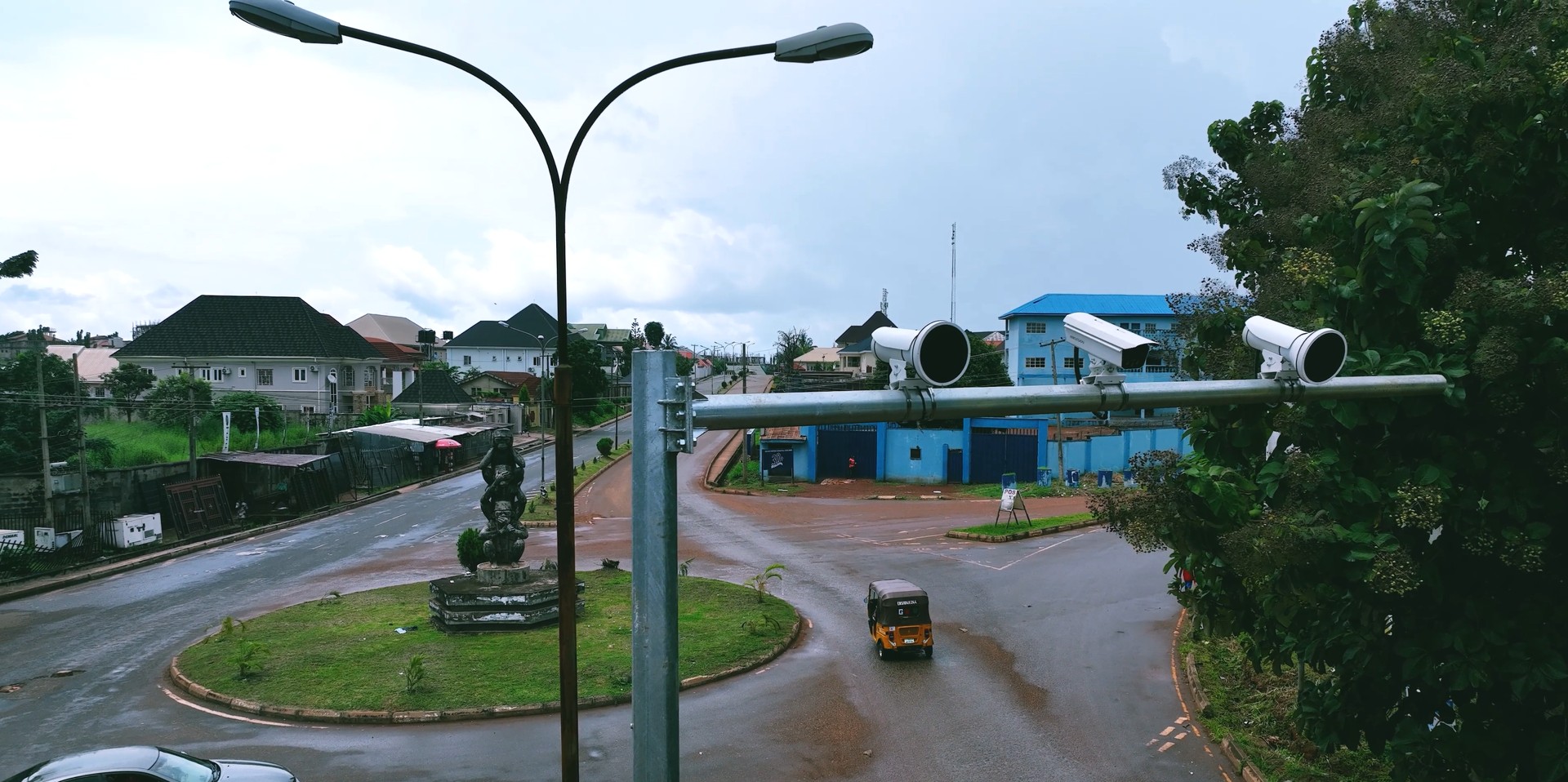
Fixed, PTZ and panoramic cameras bring streets, junctions and important facilities into view. Thermal imaging, mobile video and other sensors can extend coverage where the project requires them.

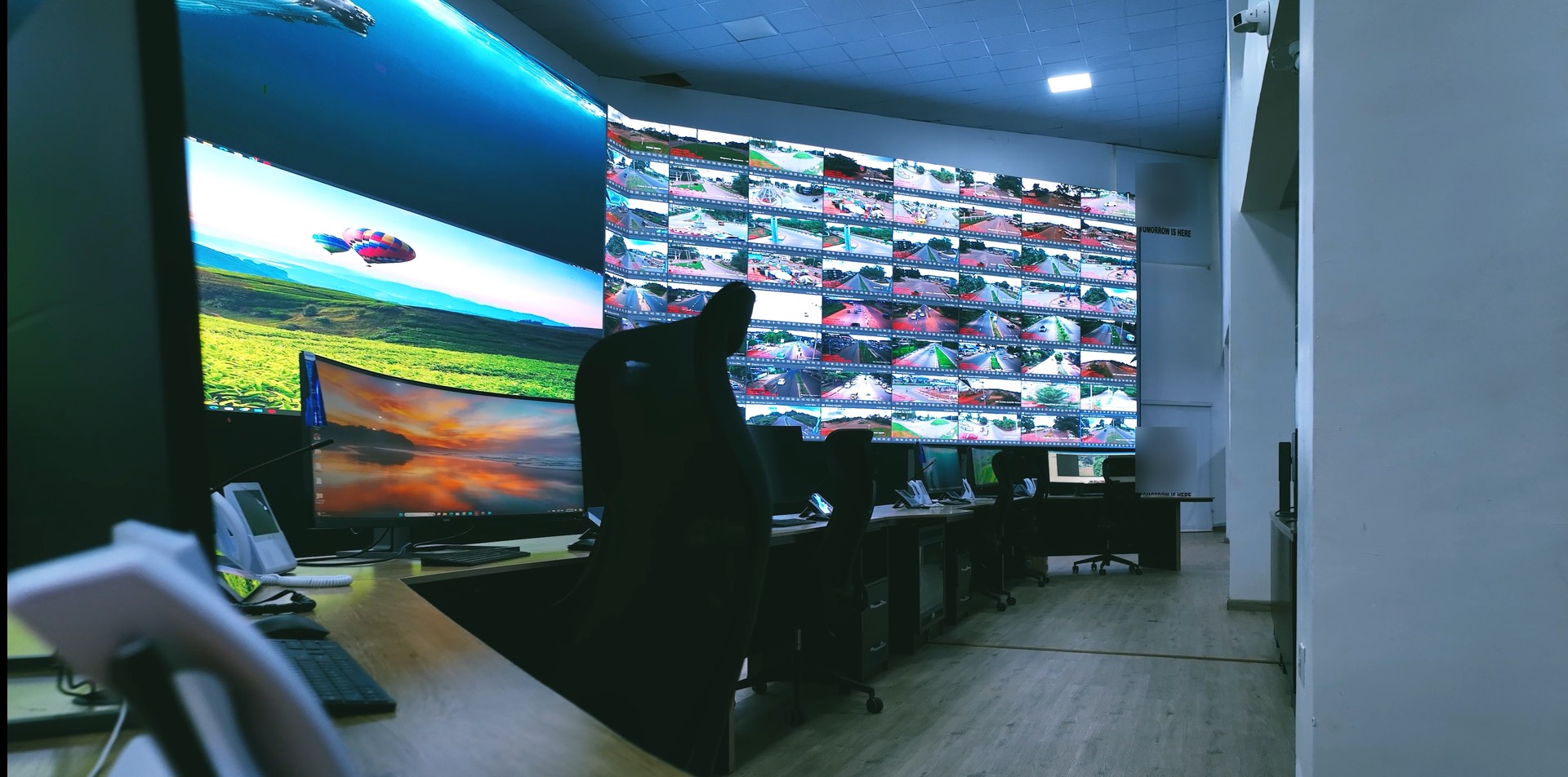
SOLUTIONS / SAFE CITY
Surveillance, communications and command software. Engineered together to help the right people see what is happening, understand the situation and respond.
MORE THAN A CAMERA NETWORK
A safer city depends on more than collecting video. It needs reliable connections between the people receiving a report, the operators reviewing the situation and the teams responding in the field.
HajaraIhsan’s Safe City approach brings these responsibilities together through surveillance infrastructure, resilient connectivity, command-and-control software and critical communications. The aim is better visibility, informed decisions and accountable coordination across urban areas and key transport corridors.
Fixed, PTZ and panoramic cameras bring streets, junctions and important facilities into view. Thermal imaging, mobile video and other sensors can extend coverage where the project requires them.
A planned combination of fibre, wireless links, cellular connectivity and resilient power carries information from the field to the command centre. Coverage, capacity and continuity are designed together.
Video, maps, reported incidents and device status provide a shared workspace. Operators can assess available information, check alerts and coordinate the next action.
Radio communications and connected field equipment link dispatchers with response teams. Verified location and readiness information help teams coordinate their work.
INTELLIGENT COMMAND & CONTROL
Our ICCC interface is designed to connect call taking, incident records, visual command and response coordination. Each workspace supports a distinct operational responsibility.
Call taking
Capture an incident, set its priority and maintain its status. Human operators review the information before submission and deployment decisions.
Visual command
View a saved incident pin, inspect the surrounding area and bring relevant camera resources into the assessment.
Camera workspace
Search the camera directory, inspect connection status and open available video. Supported PTZ controls allow authorised operators to adjust a camera’s view.
Response coordination
Follow assignments, incident updates and closure. Response readiness depends on registered teams, verified positions and working communications.
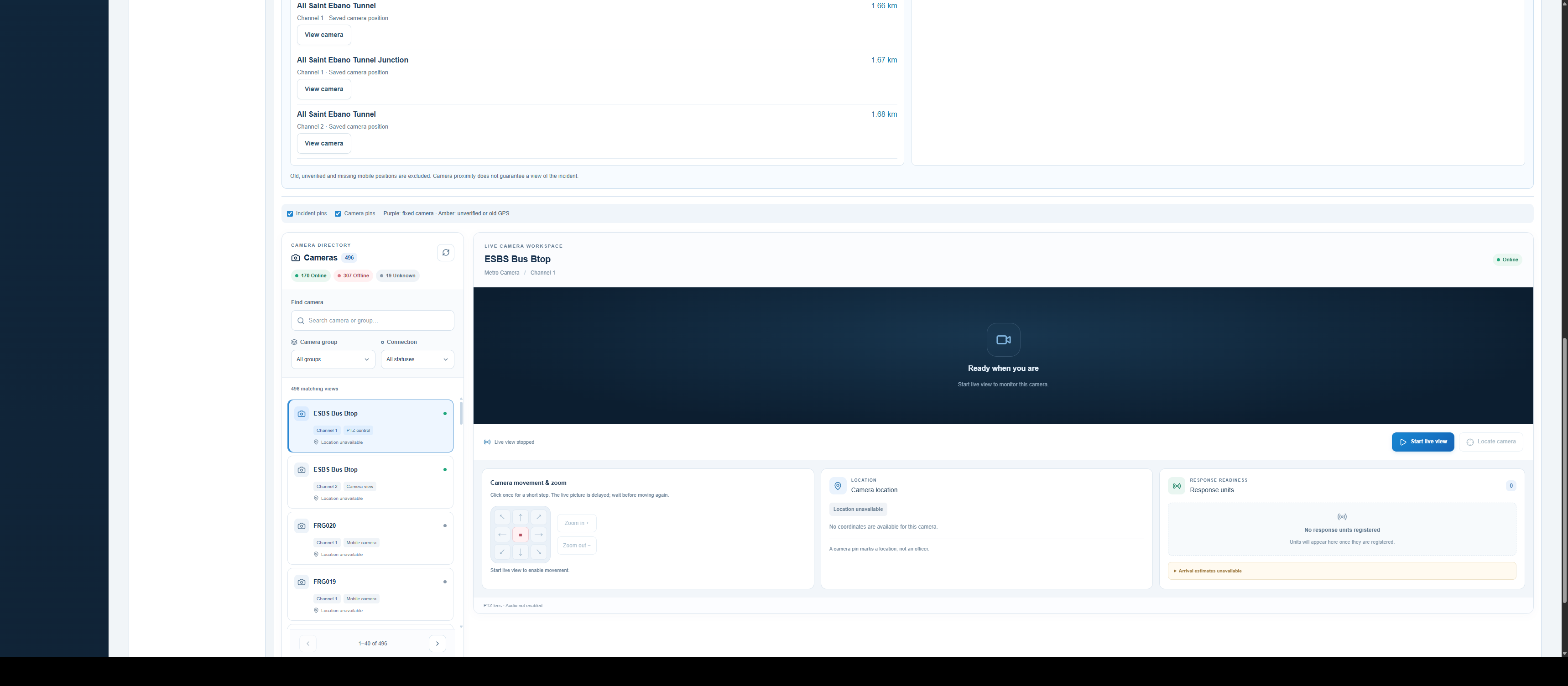
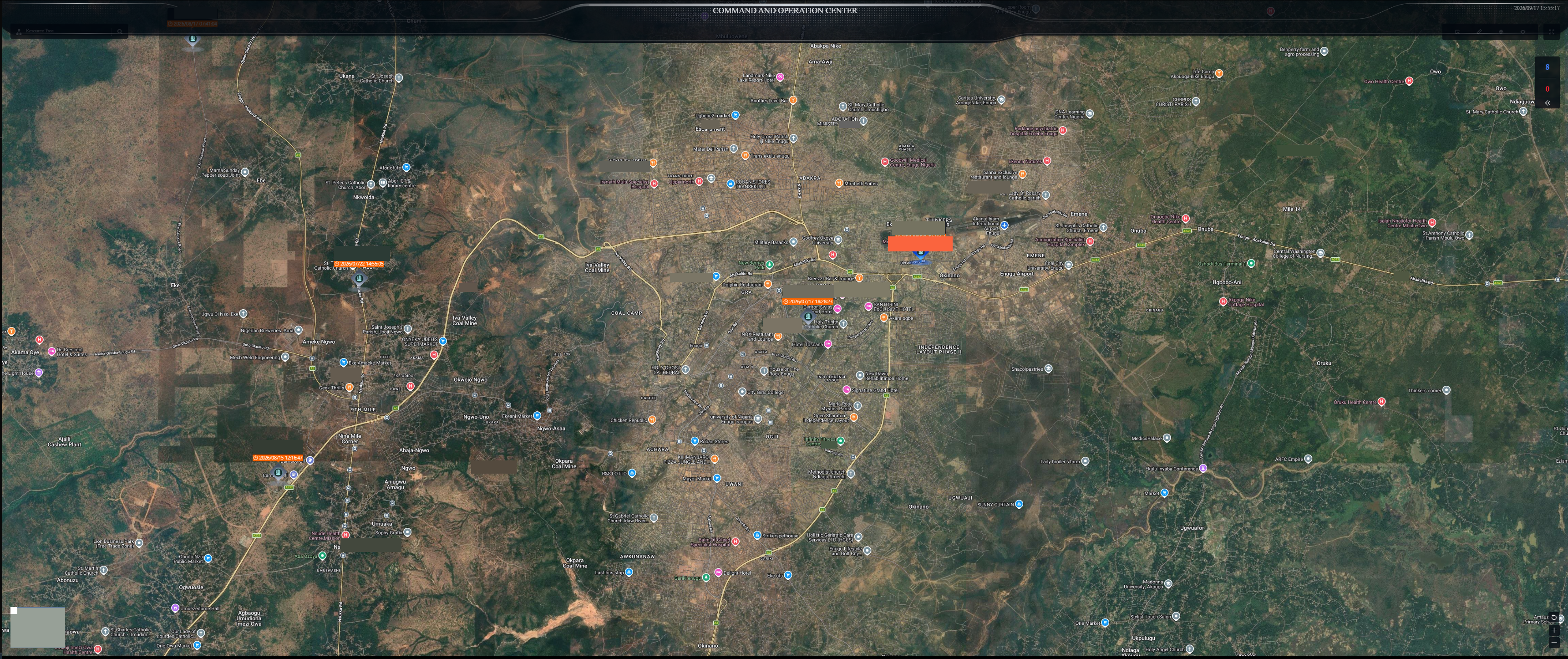
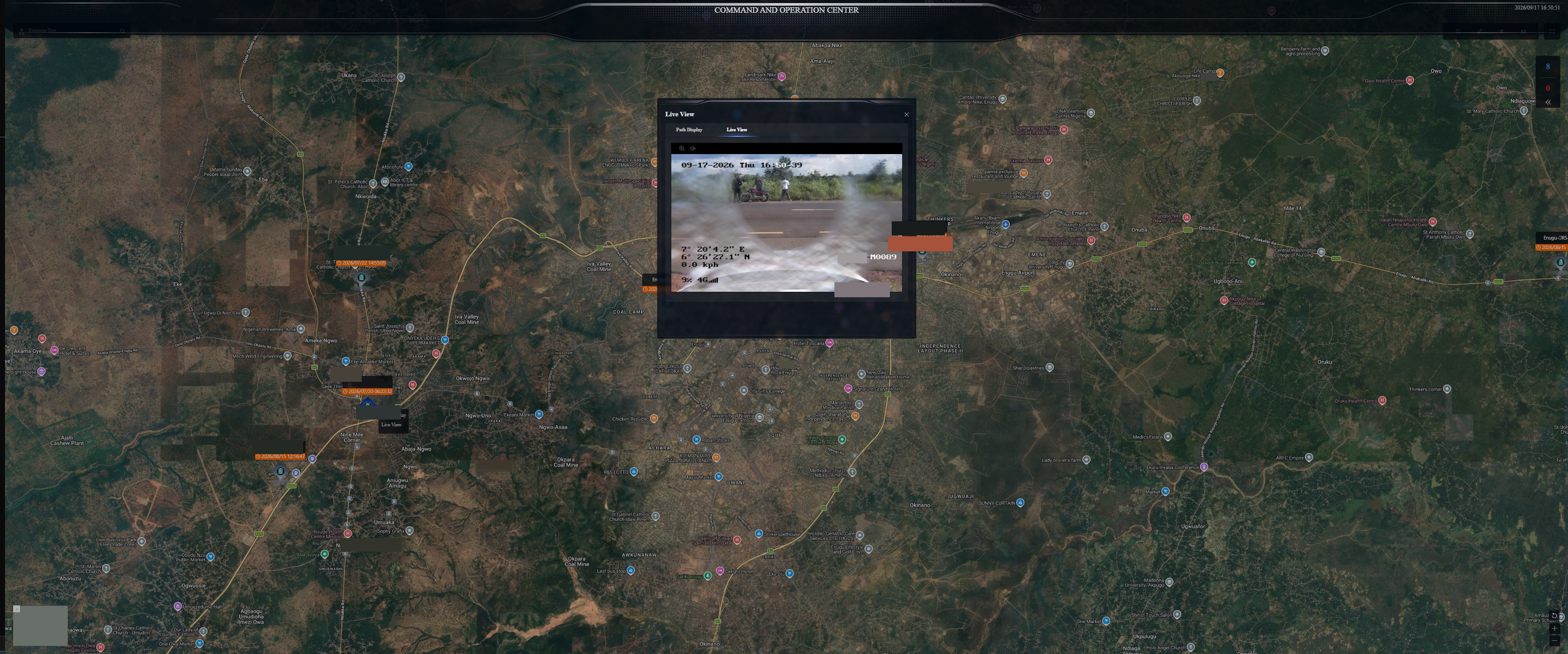
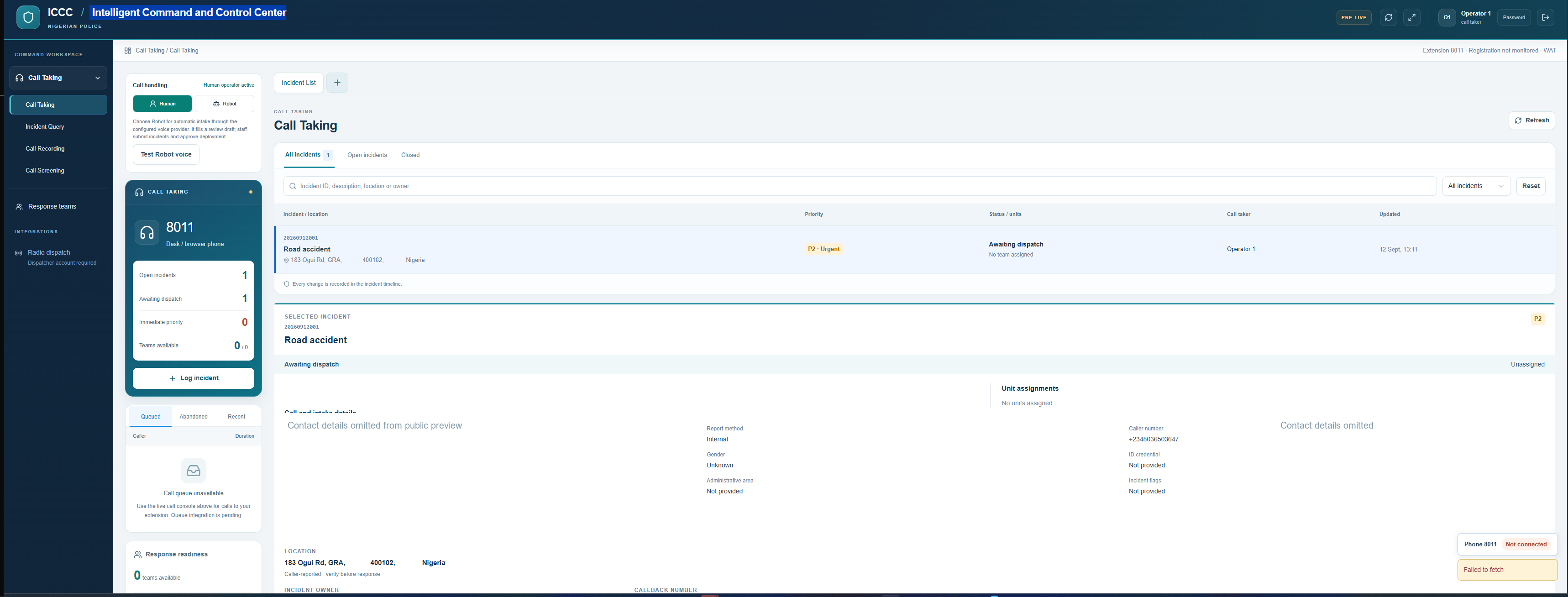
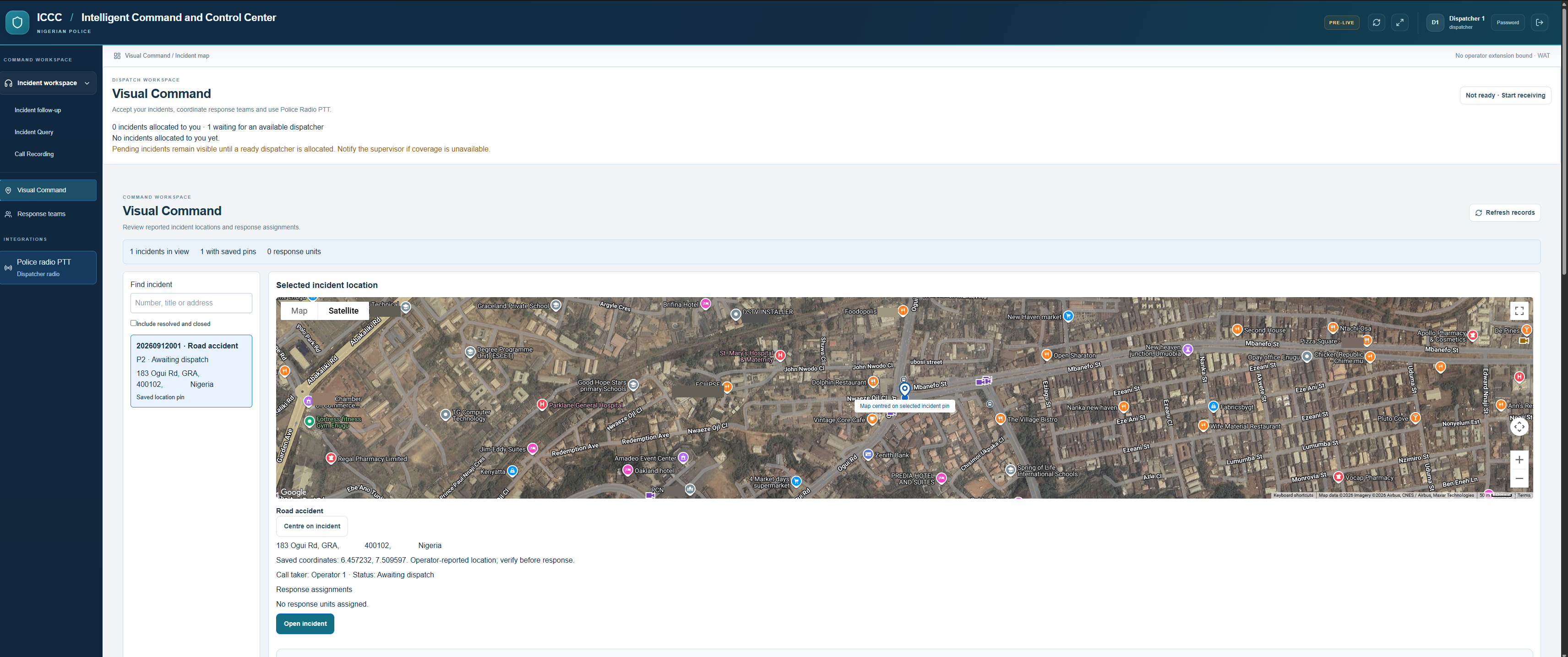
Interface preview. The supplied ICCC screens are marked pre-live. They show pending connections and unavailable response-team data. This preview demonstrates the workflow and interface; it does not represent a fully commissioned emergency service.
FROM FIRST REPORT TO FOLLOW-UP
An operator records the report, contact information, incident type and initial priority. Where configured, automated voice intake can prepare a draft for staff review.
Confirm the reported location and place an incident pin on the map. Treat unverified or outdated coordinates as information to check.
Review relevant cameras and available incident information. Camera proximity helps operators find a view; it does not guarantee visibility of the event.
An authorised dispatcher assigns an available team and communicates the response instructions. Team readiness and connected radio services determine what can be dispatched.
Update the incident as the response progresses, record the outcome and retain an operational history for review.
VIDEO, MAPS & FIELD COMMUNICATIONS
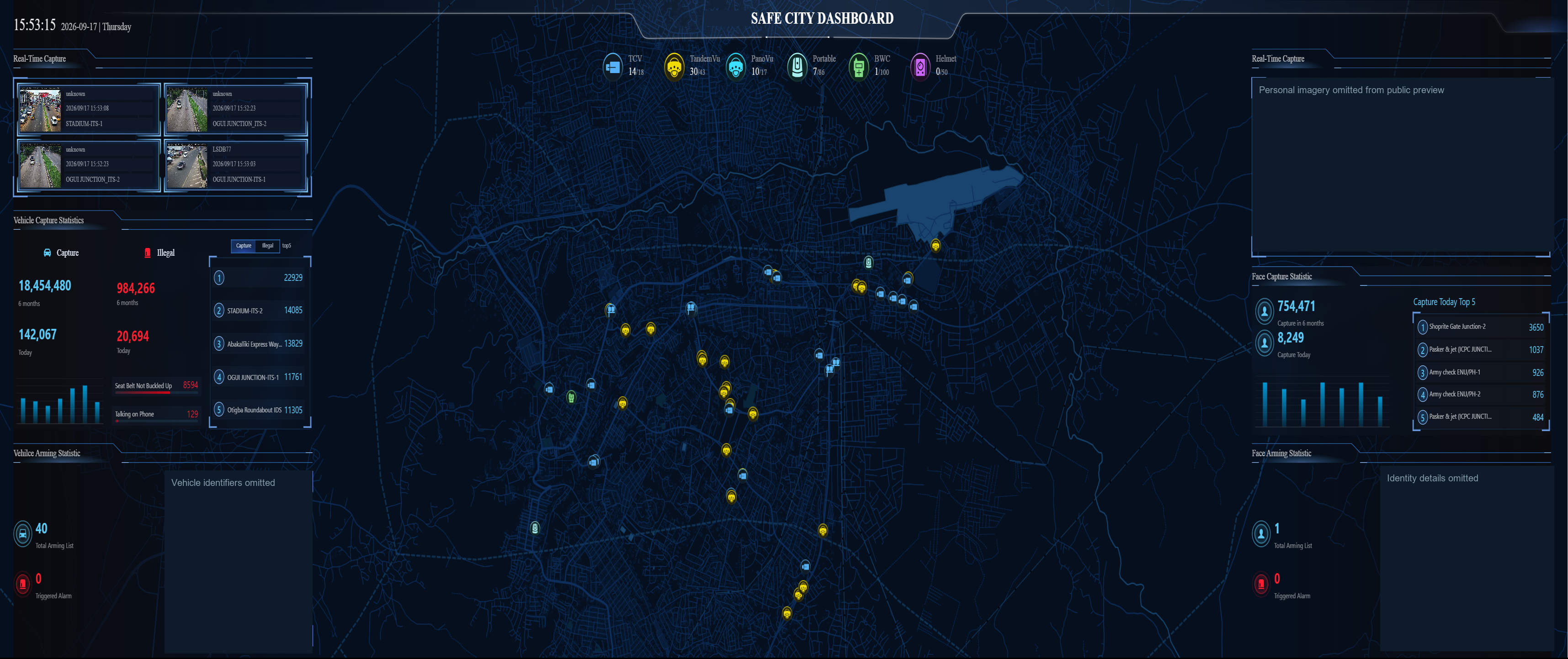
Surveillance dashboards bring camera status, event activity and mapped resources together. Supported analytics can draw an operator’s attention to an event for review. A detection is a starting point for assessment—not a confirmed incident or a measured safety outcome.
The supplied command-and-operation screens illustrate a map of mobile units and an on-demand vehicle video window. Location timestamps help operators distinguish recent information from older reports. Streaming and location updates depend on the connected equipment and available network coverage.
Safe City and traffic management share a need for reliable video, location context and traceable decisions. A project can connect these operational areas while keeping incident response and traffic-case administration clearly defined.
Explore our ITMS solutionOUR ENUGU EXPERIENCE
HajaraIhsan’s company-provided project material describes its work on Enugu’s Safe City environment, bringing command facilities, surveillance and field communications into a connected approach.
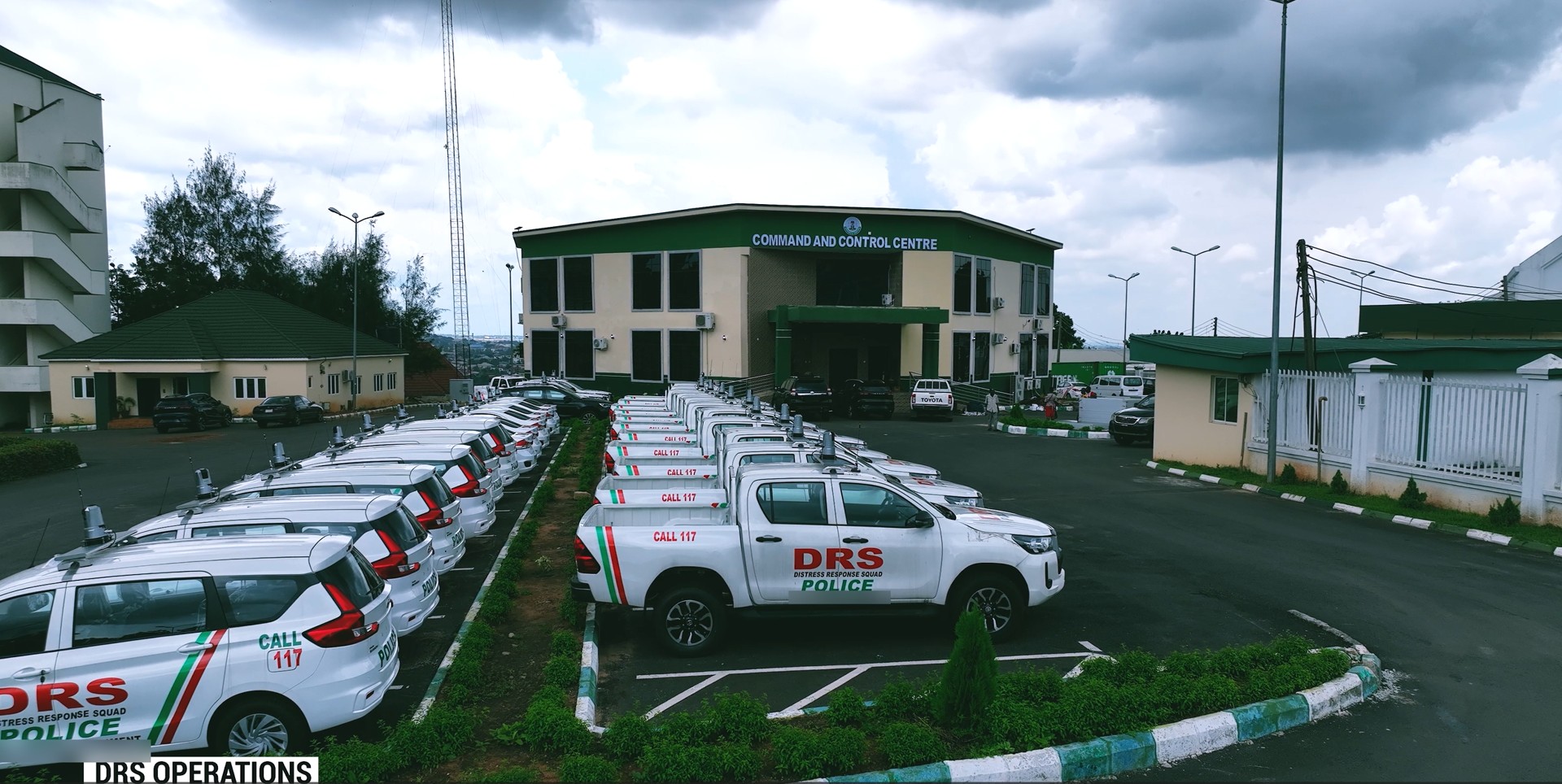
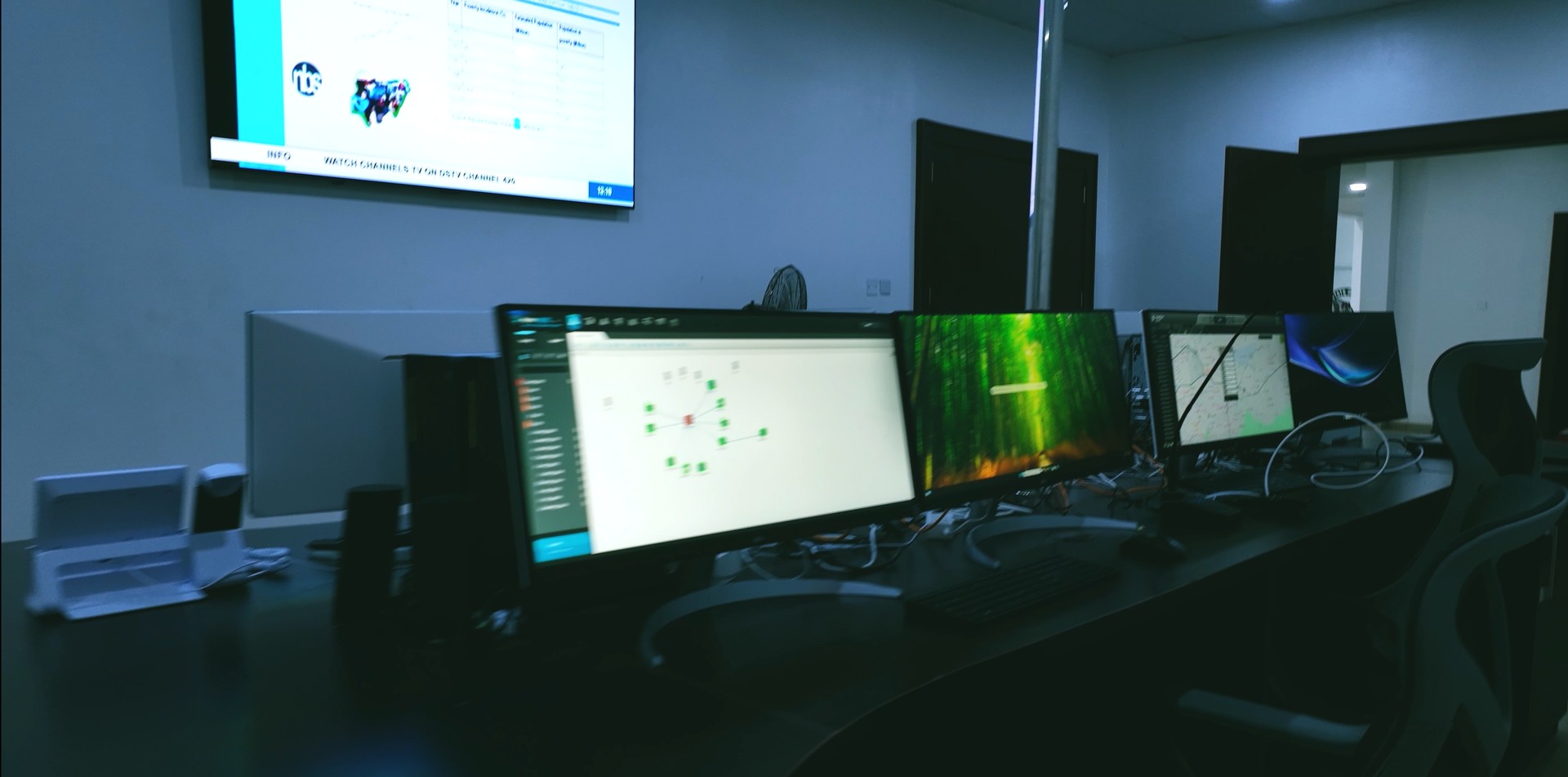
Operational dashboards can help teams review device availability, incident handling and response activity. Capture totals are activity measures; they do not establish unique people or vehicles, confirmed offences, crime reduction or response-time improvements. Such outcomes require separate, validated project records.
A five-minute response window can be a service-planning target. It is not presented here as an achieved or guaranteed result: actual arrival times depend on staffing, readiness, distance, traffic and the incident itself.
DESIGNED AROUND YOUR OPERATIONS
Map priority locations, operational responsibilities, communications needs and the infrastructure required to support them.
Connect selected equipment and software, verify the required interfaces and test the full workflow with the operating teams.
Prepare operators and field teams, define escalation and maintenance arrangements, and review availability and performance over time.
Operational design includes role-based access, appropriate data retention, controlled evidence handling and review of sensitive alerts by authorised personnel. The required controls and integrations should be agreed before commissioning.
LET’S PLAN YOUR SAFE CITY
Talk to HajaraIhsan about surveillance coverage, command software, connectivity and field communications for your project.
Discuss your project Explore equipmentBased on the company-supplied Safe City brief, software screenshots and Enugu project photographs. Interface views are illustrative snapshots, not live operational feeds. Configuration and integration scope vary by project.